Summary
For iOS development in 2025, SwiftUI is the definitive future and our recommended starting point for most new applications. Its declarative syntax, cross-platform capabilities, and rapid development speed offer a significant competitive advantage. However, UlKit continues to be a vital and robust framework – particularly when working with legacy codebases, building intricate custom interfaces, or leveraging well-established third-party libraries. The most effective strategy often involves a hybrid approach, leveraging the strengths of both frameworks to build robust, modern, and high-performance applications.
Introduction: The Defining Choice for Modern iOS Apps
In the world of iOS development, one of the most critical decisions a business or development team faces is the choice of a UI framework. This choice dictates not just the look and feel of your app, but also its development speed, long-term maintainability, and future scalability.
For years, UIKit has been the undisputed king – the robust, battle-tested framework that has powered nearly every app on your iPhone. Then, in 2019, Apple introduced SwiftUI, a modern, declarative framework poised to revolutionize how we build digital experiences.
The question is no longer if you should consider SwiftUI, but when and how. As we look toward 2025, the landscape has matured significantly. At Appbirds Technologies, we don’t just develop software; we design tomorrow’s digital experiences. Here’s our expert take on the SwiftUI vs. UIKit debate and how we guide our clients to make the right strategic choice.
The Bedrock: Understanding UIKit
UIKit is an imperative framework. This means you tell the system how to do something, step by step. You create a view, configure its properties, add it to a parent view, and define how it changes in response to events.

Key Strengths of UIKit:
- Proven Track Record: With a decade of real-world usage, UIKit delivers unmatched stability and reliability. Almost any UI problem you can imagine has been solved and documented by the community.
- Granular Control: It provides fine-grained control over every pixel, animation, and user interaction. If you need a highly custom and complex UI, UIKit gives you the tools to build it.
- Vast Ecosystem: The number of third-party libraries, tutorials, and Stack Overflow answers for UIKit is immense.
- Backward Compatibility: It supports older iOS versions, which can be critical for apps needing to reach the widest possible audience.
When We Still Rely on UIKit:
- Legacy Projects: Maintaining or adding features to an existing, large-scale UIKit codebase.
- Complex UI Needs: When an app requires intricate animations or specific UI components not yet available or mature in SwiftUI.
- Deep OS Integration: For apps that need to tap into older, UIKit-specific APIs.
The Future is Now: Embracing SwiftUI
SwiftUI introduces a new era of declarative UI development, redefining how interfaces are built. Instead of describing the steps to create a UI, you declare what the UI should look like for any given state. When the state changes (e.g., a user taps a button), the UI automatically updates.

Key Strengths of SwiftUI:
- Development Speed: You can build complex UIs with significantly less code. With live previews, developers can instantly view changes without rebuilding, greatly accelerating development cycles.
- Declarative Syntax: The code is easier to read, reason about, and maintain. It clearly describes the “what” rather than the “how.”
- Cross-Platform by Design: SwiftUI is built to be a multi-platform framework. The same code can be used to build UIs for iOS, iPadOS, macOS, watchOS, and even tvOS, saving immense time and resources.
- Modern and Safe: Built from the ground up for Swift, it leverages modern language features and reduces common programming errors.
When We Champion SwiftUI:
- All New Projects: For any new app, we start with a SwiftUI-first approach unless a clear UIKit dependency exists.
- MVPs and Prototypes: The speed of SwiftUI is unmatched for getting a product to market quickly.
- Multi-Platform Apps: When an application needs to run on iPhones, iPads, and Macs, SwiftUI is the obvious, most efficient choice.
- Data-Driven UIs: Apps where the interface changes frequently based on data are perfect for SwiftUI’s state-driven nature.
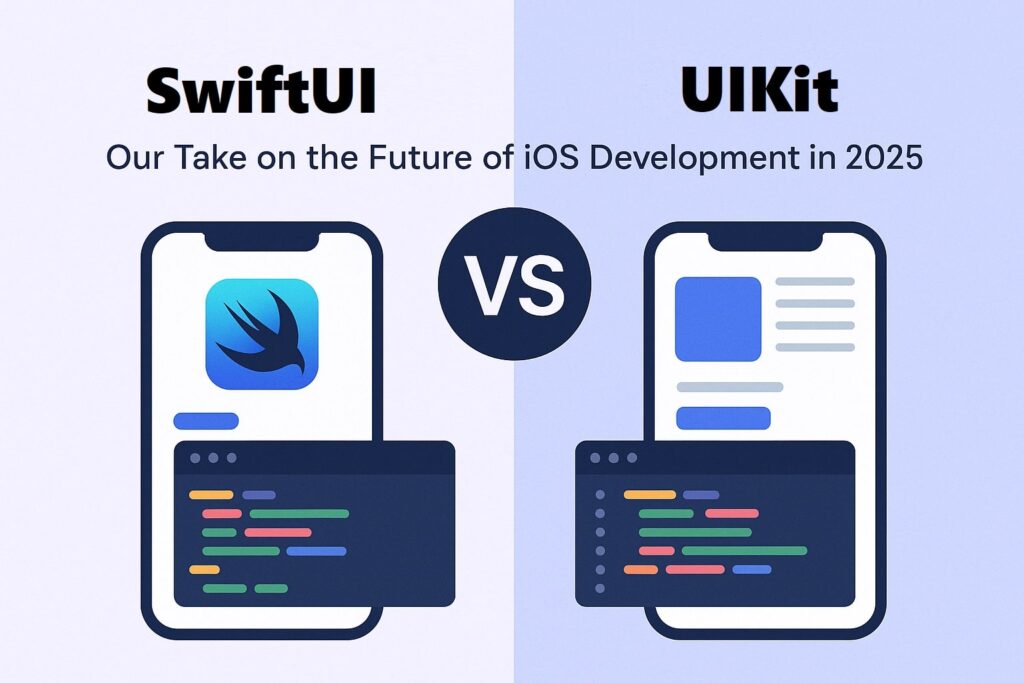
SwiftUI vs. UIKit: At a Glance
| Feature | UIKit (Imperative) | SwiftUI (Declarative) |
| UI Paradigm | You manually control UI updates and state changes. “Do this, then do that.” | You declare the UI for a given state, and it updates automatically. “The UI directly reflects the current state.” |
| Code Verbosity | More verbose. Requires more boilerplate for layouts (e.g., Auto Layout constraints). | Significantly less code. Layouts are more intuitive and concise. |
| Learning Curve | Steeper for beginners due to its vastness and manual state management. | Easier to learn the basics, but mastering state management can be complex. |
| Maturity & Stability | Extremely mature, stable, and battle-tested over 10+ years. | Maturing rapidly. Can still have some missing components or minor bugs. |
| Development Speed | Slower iteration due to compile-and-run cycles. | Much faster thanks to Live Previews and declarative syntax. |
| Multi-Platform | Primarily for iOS/iPadOS. Requires separate codebases for macOS/watchOS. | Built to run seamlessly across iOS, iPadOS, macOS, watchOS, and tvOS – all from one unified codebase. |
| Best For | Legacy systems, complex custom UIs, apps requiring deep OS integrations. | New projects, MVPs, multi-platform apps, and modern data-driven UIs. |
The Pragmatic Choice: The Hybrid Approach is King
The great news is that you don’t have to make an all-or-nothing choice. Apple has provided excellent interoperability tools that allow SwiftUI and UIKit to coexist peacefully in the same application.
- You can host a new SwiftUI view inside an existing UIKit application (UIHostingController).
- You can wrap a battle-tested UIKit component for use in your new SwiftUI app (UIViewRepresentable).
Such a hybrid strategy strikes the right balance between innovation and practicality. It allows us to modernize existing apps incrementally, leverage the speed of SwiftUI for new features, and fall back on the power of UIKit when a specific, mature component is needed.
Our Final Take: The iOS Landscape in 2025
Apple’s direction is crystal clear: SwiftUI is the future of development across all its platforms. Every year at WWDC, new, powerful features are added exclusively to SwiftUI, while UIKit receives only maintenance updates.
By 2025, we predict:
- SwiftUI will be the default for over 90% of new app development.
- Proficiency in both frameworks will be the mark of a top-tier iOS agency, as knowing how and when to blend them will be key to building the best possible products.
- UIKit will not be “dead,” but its role will have shifted to one of support – powering legacy systems and providing specific, low-level components when needed.
Build Your Future with Appbirds
Choosing the right framework is more than a technical decision – it’s a strategic one that impacts your budget, timeline, and long-term success. At Appbirds Technologies, we craft digital solutions that blend aesthetic excellence with robust functionality – built for today’s needs and ready to scale for tomorrow’s growth
Ready to build your next iOS application on a future-proof foundation?
Frequently Asked Questions (FAQs)
If SwiftUI is the future, is it a mistake to invest in a UIKit project today?
Not at all. While SwiftUI is our recommended starting point for most new projects, choosing UIKit is a strategic decision, not a mistake. We still recommend UIKit for projects that involve maintaining or extending a large, stable legacy codebase, or for apps that require extremely complex, custom-built UIs and animations that don’t have mature SwiftUI equivalents yet. Success comes from choosing the right tool to fit the task at hand.
We have a large, existing app built with UIKit. Do we need to rewrite it entirely in SwiftUI?
Absolutely not. A ground-up rebuild is often not the most efficient use of time and resources. The best approach is incremental adoption. We can begin building all new features using SwiftUI and embedding them within your existing UIKit app using UIHostingController. This allows you to modernize your app gradually, benefit from faster development, and future-proof your codebase without disrupting your current operations.
For a new developer starting today, which framework is better to learn first?
We strongly recommend learning SwiftUI first. It has a more gentle learning curve for basic concepts, the code is easier to read, and it is undoubtedly where Apple is focusing all its innovation. However, understanding the fundamentals of UIKit is still incredibly valuable, as you will almost certainly encounter it in professional projects. Start with SwiftUI, but don’t ignore UIKit.
Are there specific features or app types where you would still strongly recommend UIKit over SwiftUI in 2025?
Yes. While the list is shrinking, we would still lean towards UIKit for apps requiring:
- Deep integration with older, specialized iOS APIs that don’t have a SwiftUI counterpart.
- Custom-built view hierarchies integrated with detailed and unique animation flows.
- Heavy reliance on mature, third-party libraries that have not yet been updated to support SwiftUI fully.
You mentioned the “hybrid approach.” Will mixing SwiftUI and UIKit make my app slow or buggy?
No, when done correctly, the hybrid approach is seamless and performant. Apple has designed the interoperability tools (UIHostingController and UIViewRepresentable) to be highly efficient. For the majority of use cases, the performance impact is minimal. Our team has extensive experience building robust hybrid apps that leverage the strengths of both frameworks without compromising stability or speed.
How much faster is development with SwiftUI, really? What does that mean for my project’s budget?
While every project is different, the development speed increase with SwiftUI is significant. Its declarative syntax and live previews mean less code is needed for layouts and UI updates, which dramatically shortens the iteration cycle. For a client, this translates directly into a faster time-to-market for your MVP and a more efficient use of your development budget, as our team can achieve more in less time.