
Summary
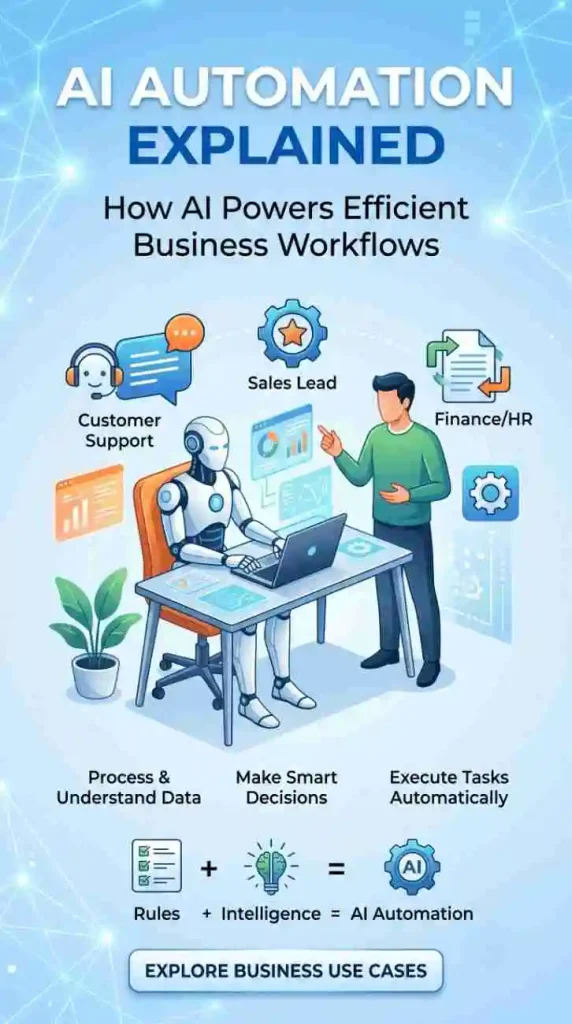
AI automation brings AI capabilities into automated workflows, allowing systems to analyze information, make decisions, and complete tasks with minimal human involvement. While traditional automation relies on predefined rules, AI-powered systems can understand language, identify patterns, process complex information, and respond intelligently to changing situations.
Businesses use it for customer support, sales, finance, HR, and operations to save time, cut manual errors, and scale without adding headcount for every new task.
Introduction
A support inbox fills up faster than a small team can answer it. An invoice sits untouched for three days because someone has to key in the numbers by hand. A sales rep spends an hour a day just sorting leads instead of talking to them.
These are the everyday problems that push companies toward AI automation. It’s not a buzzword it’s a practical way to combine two things that used to work separately: automation, which executes tasks, and artificial intelligence, which understands and decides. Put together, they let a business handle work that used to require constant human attention.
This guide explains what AI automation actually is, how it works step by step, where it differs from older rule-based automation, and how a business small or large can start using it without overhauling everything at once.
What Is AI Automation?
AI automation uses artificial intelligence to analyze information, make decisions, and perform tasks automatically, reducing the need for people to monitor or manage every step of the process.
Think of traditional automation as a system that follows instructions exactly: “if X happens, do Y.” It’s reliable, but rigid.AI brings an additional layer of intelligence and understanding to the process. Instead of only reacting to fixed triggers, an AI-powered system can read a customer’s message, figure out what they actually want, and choose the right next step even if that exact wording was never programmed in.
In short, AI automation is what happens when automation gets a “brain.” The automation still does the work sending emails, updating records, triggering approvals but AI decides what the right work is.
How Does AI Automation Work?
AI automation generally follows a repeatable process, even though the tools behind it vary by task.
Step 1: Data or input arrives. This could be an email, a form submission, an uploaded document, or data from another system.
Step 2: AI analyzes the information. The AI model reads, interprets, or classifies the input for example, understanding the intent behind a customer’s message.
Step 3: AI identifies patterns, intent, or decisions. It compares the input against what it has learned to figure out what’s being asked or what’s likely to happen next.
Step 4: The automation system determines the next action. Based on the AI’s output, the workflow decides what should happen reply, escalate, update a record, generate a document.
Step 5: The action is executed. The automation platform carries out that action automatically, often through an API connection to another tool.
Step 6: Results are monitored and improved. Outcomes are logged and reviewed so the system and the people managing it can adjust and improve performance over time.
Simple example: A customer emails asking to cancel a subscription. AI reads the message and identifies the intent as “cancellation request.” The automation checks the customer’s account status, applies the company’s cancellation policy, and either processes the cancellation automatically or routes it to a support agent if the account has an active dispute.
AI vs Automation: What’s the Difference?
These three terms get used interchangeably, but they mean different things.
Traditional automation follows fixed, pre-programmed rules. It’s fast and consistent but can’t handle anything outside its instructions.
AI is the ability of a system to understand language, recognize patterns, and make predictions based on data without being told exactly what to do in every situation.
AI automation is the combination: AI provides the understanding and judgment, and automation provides the execution. One without the other is limited AI alone doesn’t take action on its own, and automation alone can’t interpret anything it wasn’t explicitly told to expect.
AI Automation vs Traditional Automation
Traditional, rule-based automation has real limits. It breaks when it meets something it wasn’t explicitly programmed for a misspelled word, an unusual request, a document in a different format.
AI automation extends what’s possible by adding:
- Understanding language — reading emails, chats, or documents the way a person would.
- Pattern recognition — spotting trends in data that rules alone would miss.
- Prediction — estimating what’s likely to happen next, such as which leads are likely to convert.
- Classification — sorting incoming items (tickets, documents, transactions) into the right category.
- Decision support — recommending or making a choice based on context, not just a fixed condition.
- Content generation — drafting replies, summaries, or reports.
- Adaptive workflows — adjusting the process based on what’s actually happening, not just a static flowchart.
How AI Automation Is Used in Business
Customer Support: AI reads incoming tickets, understands intent, and either answers directly from a knowledge base or routes complex issues to the right agent cutting response times.
Sales Automation: AI scores and prioritizes leads based on behavior and fit, so reps spend time on prospects most likely to convert.
Marketing Automation: AI segments audiences and personalizes messaging based on engagement patterns, improving campaign relevance.
Lead Qualification: AI automation reviews form submissions and enrichment data to flag sales-ready leads automatically.
Email Automation: AI drafts or triggers replies based on the content and intent of incoming messages.
Data Entry & Document Processing: AI extracts information from PDFs, forms, or scanned documents and populates systems automatically, reducing manual keying.
Invoice Processing: AI reads invoice data, matches it to purchase orders, and flags mismatches for review.
Finance Operations: AI flags unusual transactions or spending patterns for review, supporting fraud checks and reconciliation.
E-commerce: AI recommends products and automates order-status updates based on customer behavior.
IT Operations: AI detects anomalies in system logs and triggers automated alerts or fixes for known issues.
Customer Onboarding: AI automation guides new customers through setup steps based on their specific plan or usage.
AI Automation Examples
- A customer sends a support email describing a billing issue. AI identifies the intent, pulls the customer’s account history, and either resolves it automatically or routes it to billing support with context attached.
- A sales lead fills out a website form. AI automation checks company size and industry against the ideal customer profile, scores the lead, and assigns it to the right rep instantly.
- An HR team receives 200 resumes for one role. AI automation screens them against the job requirements and shortlists the top matches for a recruiter to review.
- A finance team receives an invoice by email. AI extracts the vendor, amount, and line items, matches it to the purchase order, and routes it for approval only if something doesn’t match.
- A returning customer messages support with a product question. AI recognizes the customer, retrieves their order history, and generates a personalized, accurate answer without human input.
Key Benefits of AI Automation
- Increased productivity across repetitive tasks
- Less manual, repetitive work for employees
- Faster response times for customers
- Lower operational costs over time
- Better scalability without proportional headcount growth
- Improved customer experience through faster, more relevant responses
- Fewer manual errors in data-heavy processes
- Better decision support through pattern recognition
- 24/7 operation for tasks that don’t require a human
- More efficient use of employees’ time on higher-value work
Results vary by business, process, and data quality AI automation is not a guaranteed fix for every workflow.
Comparison Table
| Feature | Traditional Automation | AI Automation |
| Decision-making | Follows fixed rules | Uses context and patterns to decide |
| Data handling | Structured data only | Structured and unstructured data (text, documents) |
| Adaptability | Breaks on new scenarios | Adjusts to variation within trained scope |
| Natural language | Not supported | Understands and generates language |
| Pattern recognition | Limited to defined conditions | Learns from historical patterns |
| Human involvement | Needed to update rules | Needed for oversight and edge cases |
| Best use cases | Repetitive, predictable tasks | Tasks requiring judgment or interpretation |
| Scalability | Scales within fixed logic | Scales across varied, evolving inputs |
Challenges and Risks of AI Automation
AI automation isn’t risk-free, and it’s worth understanding the trade-offs before implementing it.
- Data quality: AI is only as reliable as the data it’s trained and run on.
- Privacy: Handling customer or employee data requires proper safeguards.
- Security: Automated systems connected to business tools need strong access controls.
- AI hallucinations: Generative AI can produce confident but incorrect output.
- Incorrect decisions: Automated actions based on wrong AI output can cause real business impact.
- Integration complexity: Connecting AI automation to existing systems takes planning.
- Implementation costs: Tools, integration, and testing require upfront investment.
- Employee adoption: Staff need training and reassurance about how automation affects their roles.
- Lack of human oversight: High-impact decisions should still have a human checkpoint.
- Compliance: Regulated industries need automation that meets legal and audit requirements.
- Monitoring and maintenance: AI automation needs ongoing review, not a one-time setup.
Human oversight remains important, especially for decisions involving money, legal matters, health, or customer relationships. AI automation works best as a support system for people, not a full replacement for judgment.
How to Introduce AI Automation Into Your Business
- Find repetitive tasks that slow your team down.
- Measure how the current workflow performs today.
- Find areas where AI can improve more than simple task automation.
- Prepare and organize the data the AI will rely on.
- Select automation and AI tools suited to the task, not the trend.
- Integrate APIs and connect existing business systems.
- Build a small, focused pilot before scaling.
- Test the pilot and monitor real results.
- Add human oversight for higher-risk decisions.
- Scale the workflows that prove their value.
AI Automation Checklist
- Is this process repetitive and time-consuming?
- Is the data needed for it available and reasonably clean?
- Does the task require understanding language, patterns, or context?
- Is there a clear, measurable outcome to track?
- Has a small pilot been planned before full rollout?
- Is human review built in for sensitive decisions?
- Are the right systems ready to integrate via API?
- Is your team aware of the upcoming change and ready to adopt it?
Common AI Automation Mistakes
- Automating the wrong process instead of the highest-impact one
- Using AI where simple rule-based automation would work fine
- Starting with poor-quality or incomplete data
- Ignoring security and access control from the start
- Skipping human review on important decisions
- Not monitoring performance after launch
- Choosing a tool before clearly defining the business problem
- Trying to automate everything at once instead of starting small
- Ignoring employee concerns and adoption
Future of AI Automation
AI automation is moving toward systems that can handle more complete workflows, not just single tasks.
AI agents and agentic AI are early examples systems designed to carry out multi-step tasks with some independence, checking in with humans at key decision points. Multi-agent workflows, where several AI agents handle different parts of a process, are an active area of development across the industry.
Looking ahead, expect more natural language workflow creation (describing a process in plain language instead of building it manually), broader AI-powered decision support, and closer human-AI collaboration where people focus on judgment calls and AI handles execution.
These capabilities are developing quickly, but full autonomy without human checkpoints is not where most business automation stands today and for high-impact decisions, that’s unlikely to change soon.
Why Choose Appbirds Technologies
Implementing AI automation well takes more than picking a tool it takes understanding a business’s actual workflows, data, and systems. Appbirds Technologies works with businesses to design and build AI automation solutions, from custom AI development and API integrations to full workflow automation and AI agent development.
Rather than pushing a one-size-fits-all platform, the approach starts with identifying which processes genuinely benefit from AI automation and which don’t then building a solution around that, using custom software development where an off-the-shelf tool falls short.
FAQs
What is AI automation?
AI automation combines artificial intelligence with automated workflows so systems can understand information, make decisions, and take action with minimal human input. It’s used to handle tasks like customer support, data entry, and lead qualification faster and more accurately than manual work alone.
How does AI automation work?
It works in stages: data comes in, AI analyzes it to understand intent or patterns, the automation system decides the next action, and that action is executed often through API connections to other business tools. Results are then monitored to improve performance over time.
What are some examples of AI automation?
Examples include AI reading and routing support tickets, scoring sales leads automatically, extracting data from invoices, screening resumes against job criteria, and generating personalized customer responses based on order history.
What are the benefits of AI automation for businesses?
Benefits include faster response times, fewer manual errors, lower operational costs, better scalability, and more efficient use of employees’ time. Results depend on the process, data quality, and how well the automation is implemented.
Is AI automation suitable for small businesses?
Yes. Small businesses often benefit most from starting with one high-impact process, such as customer support or lead handling, rather than attempting a company-wide rollout. Many AI automation tools are built to scale with the size of the business.
Conclusion
AI automation is not about replacing manual work with a black box that does everything on its own. It’s about combining AI’s ability to understand, analyze, predict, or generate content with automation’s ability to reliably execute workflows. The businesses getting real value from AI automation are the ones focusing on specific, high-impact use cases not trying to automate everything at once.
Whether it’s cutting response times in customer support or removing manual work from invoice processing, the right starting point is a clear business problem, not the technology itself.
If you’re considering AI automation for your business, Appbirds Technologies can help you find the right opportunities and develop solutions that fit your existing workflows. From identifying repetitive processes to implementing intelligent automation, our team can help you build a solution around your business needs. Get in touch to discuss your goals and explore what you can automate.

