Summary
An AI Agent is software that can understand a goal, plan the steps needed to reach it, use tools or business systems, and complete tasks with limited human input. This guide walks business owners, founders, and technology leaders through what an AI Agent is, how it works, what its architecture looks like, how it gets built, and what it typically costs to develop one.
Introduction
Picture this: a sales team spends two hours every morning manually checking new leads, cross-referencing CRM records, and deciding who gets contacted first. A support team answers the same twenty questions every day. An operations manager copies data between three different tools just to close out a single order.
Rule-based automation and basic chatbots can handle small pieces of this work, but they break the moment a task needs judgment, context, or more than one step. That gap is why more businesses are turning to an AI Agent a system that can understand what needs to happen, decide how to get there, and act across multiple tools instead of following a fixed script.
This article explains what an AI Agent actually is, how one is architected, what building one involves, and what realistically drives the cost.
What Is an AI Agent?
An AI Agent is a software system built on a large language model that can understand a goal, plan a sequence of actions, use tools or APIs, and complete tasks with minimal human input. Unlike a chatbot, which mainly answers questions inside a conversation, an AI Agent can take real actions across connected business systems.
The key difference is autonomy within boundaries. A chatbot responds. An AI Agent reasons, decides, and acts then checks whether the outcome matches the goal it was given.
How Does an AI Agent Work?
An AI Agent works through a repeating cycle: it receives a goal, plans the steps, gathers information, uses tools, evaluates the result, and either finishes the task or asks a human for input. This loop is what lets it handle multi-step work instead of single replies.
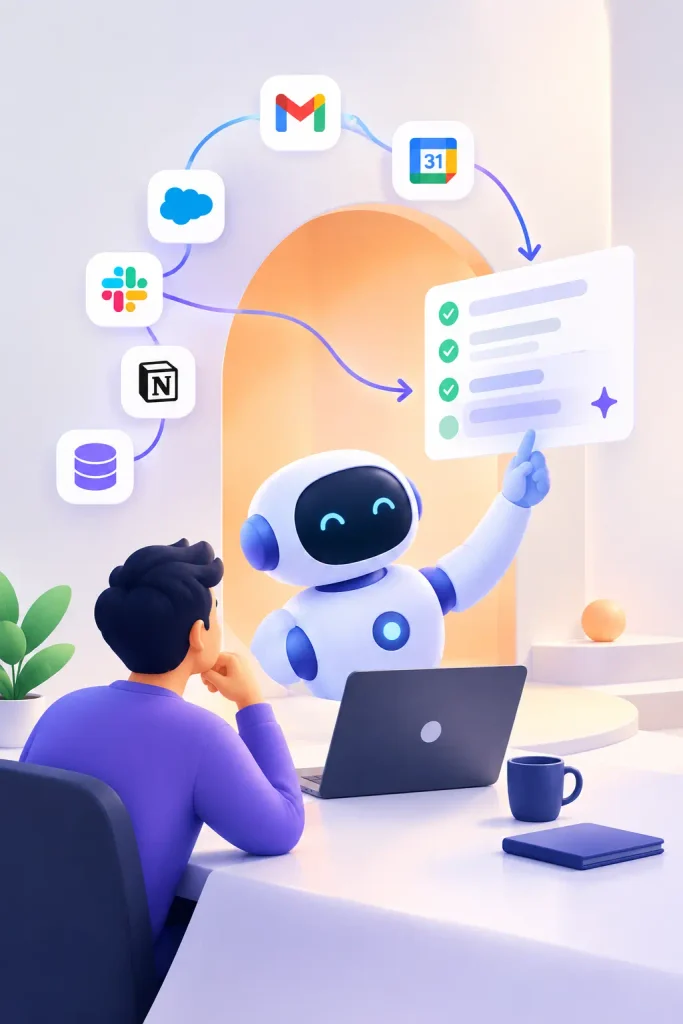
A practical example makes this concrete. Say a business sets up a sales AI Agent to handle new website leads:
- A new lead form is submitted.
- The agent checks the CRM to see if the lead already exists.
- It reviews the lead’s details and any past interactions.
- It scores the lead based on defined criteria.
- It finds an available sales representative’s calendar.
- It handles meeting bookings while keeping your CRM updated.
- It notifies the sales team.
This only works because the agent has permission to access the CRM and calendar system. Without the right integrations and access controls, an AI Agent cannot perform any of these steps on its own.
AI Agent vs Chatbot vs Traditional Automation
Businesses often confuse these three categories, so a side-by-side comparison helps.
| Feature | Chatbot | Traditional Automation | AI Agent |
| Understands natural language | Basic | No | Yes |
| Follows a fixed script | Mostly yes | Yes | No |
| Plans multi-step actions | No | No | Yes |
| Uses tools and APIs dynamically | Limited | Fixed rules only | Yes |
| Adapts to new situations | No | No | Yes, within defined limits |
| Best suited for | Simple Q&A | Repetitive, rule-based tasks | Goal-based, multi-step tasks |
Agentic AI refers to systems built from multiple AI Agents that coordinate with each other, each handling a specific responsibility within a larger workflow.
AI Agent Architecture: How It Is Built
AI Agent architecture is the combination of components that let an agent understand requests, retrieve information, make decisions, and act on business systems safely. It typically includes a user interface, an LLM reasoning layer, an orchestrator, memory, tool-calling logic, and security controls working together.
This is how the key elements connect and work as one:
- User Interface — where a person interacts with the agent, whether chat, voice, or an embedded widget.
- AI/LLM Layer — the language model that interprets requests and generates reasoning.
- Agent Orchestrator — coordinates planning, tool use, and decision sequencing.
- Prompt/Instruction Layer — defines the agent’s role, rules, and limits.
- Memory — stores relevant context from earlier in a conversation or task.
- Context Management — decides what information the model actually needs at each step.
- Planning and Reasoning — breaks a goal into an ordered set of actions.
- Tool Calling / Function Calling — lets the agent trigger external actions, like sending an email or updating a record.
- API Integrations — enable the agent to interact with tools like CRMs, ERPs, and helpdesk platforms.
- RAG (Retrieval-Augmented Generation) — retrieves relevant company data before the model responds, reducing guesswork.
- Vector Database — stores and searches business knowledge by meaning, not just keywords.
- Business Logic — enforces company-specific rules the agent must follow.
- Data Layer — houses the structured business data the agent reads or writes.
- Monitoring — tracks what the agent is doing and flags unusual behavior.
- Security — governs authentication, permissions, and data protection.
- Human-in-the-loop — routes sensitive or uncertain decisions to a person.
Core Components of an AI Agent
| Component | Purpose | Example |
| LLM Reasoning Engine | Interprets requests and plans actions | Deciding which lead to prioritize |
| Memory | Retains context across steps | Remembering a customer’s earlier question |
| Tool/Function Calling | Executes real actions | Booking a calendar slot |
| RAG + Vector Database | Retrieves accurate company knowledge | Answering from an internal policy document |
| Orchestrator | Sequences multi-step tasks | Running the lead-to-meeting workflow |
| Security Layer | Controls access and permissions | Blocking unauthorized data access |
Each component matters because removing any one of them limits what the agent can safely and reliably do.
Developing an AI Agent for Your Business: A Practical Guide
Building a custom AI agent follows a fairly consistent roadmap, regardless of industry.
- Define the business problem. Be specific about what is slow, repetitive, or error-prone today.
- Identify the agent’s responsibilities. Decide exactly what it should and should not do.
- Define goals and boundaries. Set clear limits on autonomy and decision-making authority.
- Select the appropriate AI/LLM model based on accuracy, cost, and latency needs.
- Design the AI Agent architecture, mapping out each component described above.
- Prepare business data so the agent has accurate, well-organized information to work from.
- Implement RAG if the agent needs to answer from internal documents or policies.
- Connect APIs and external tools relevant to the workflow.
- Add memory and context management so the agent handles multi-turn tasks correctly.
- Build the agent workflow, including how it plans and sequences actions.
- Add security and permissions, following least-privilege principles.
- Assess the agent’s performance with real-life workflows and unusual inputs.
- Deploy the AI Agent into production, usually in stages.
- Monitor and improve performance continuously after launch.
This is the same AI Agent development process most experienced teams follow, whether they build a simple assistant or an enterprise AI agent handling multiple workflows.
Technology Stack for AI Agent Development
An AI agent technology stack generally includes:
- LLMs — such as GPT-based, Claude, or Gemini models, chosen based on task complexity.
- AI Agent frameworks — tools that simplify orchestration, memory, and tool calling.
- Programming languages — commonly Python or Node.js for agent logic.
- Backend infrastructure — APIs and services that connect the agent to business systems.
- Databases — for structured business data.
- Vector databases — for semantic search over documents and knowledge bases.
- Cloud Infrastructure — use platforms like AWS, Azure, or Google Cloud to host and scale the AI agent.
- Authentication and access control — to secure who and what the agent can act on behalf of.
- Monitoring tools — to track performance, errors, and usage in production.
There is no single “correct” stack. The right combination depends on the use case, budget, expected scale, security requirements, and which systems the agent needs to integrate with.
AI Agent Use Cases for Businesses
- Customer Support Agents — resolve common tickets and escalate complex ones, connecting to helpdesk software.
- Sales Agents — qualify leads and schedule meetings, connecting to CRM and calendar tools.
- Marketing Agents — assist with campaign research and content workflows, connecting to marketing platforms.
- E-commerce Agents — handle order status, returns, and product questions, connecting to the store platform.
- HR Agents — answer policy questions and assist with onboarding, connecting to HR systems.
- IT Support Agents — triage tickets and reset access, connecting to ITSM tools.
- Finance Agents — assist with invoice checks and reporting, connecting to accounting software.
- Internal Knowledge Agents — answer employee questions from internal documentation.
- Appointment Scheduling Agents — manage bookings across calendars and systems.
- Workflow Automation Agents — coordinate multi-step processes across several tools.
Each of these solves a specific operational bottleneck rather than replacing an entire department.
AI Agent Development Cost
AI Agent development cost varies significantly because it depends on complexity, integrations, and data requirements rather than a fixed price. A simple single-purpose agent costs far less than a multi-agent enterprise system with custom security and compliance needs.
Major cost drivers include:
- Complexity of the workflow
- Number of integrations required
- Choice of AI model
- Whether RAG and a vector database are needed
- Memory and context requirements
- User interface complexity
- Security and compliance requirements
- Cloud infrastructure needs
- Testing depth
- Ongoing monitoring and maintenance
- Number of users and expected volume
There is no reliable, verifiable industry-wide fixed price for AI Agent development cost, so any specific number should be treated cautiously. A development partner should provide a scoped estimate after understanding the actual business requirements.
AI Agent Development Cost Factors
| Factor | Why It Affects Cost | Complexity Impact |
| Number of integrations | Each system connection adds development and testing work | High |
| RAG / vector database | Requires data preparation and retrieval tuning | Medium to High |
| Security requirements | Compliance and access controls add engineering time | High |
| UI complexity | Custom interfaces take longer than simple chat widgets | Medium |
| Ongoing maintenance | Continuous monitoring and improvement add long-term cost | Medium |
AI Agent Type Comparison
| AI Agent Type | Complexity | Typical Features | Relative Development Cost |
| Basic AI Agent | Low | Single task, one integration, simple UI | Lower |
| Business Workflow Agent | Medium | Several integrations, basic memory, moderate logic | Moderate |
| Advanced AI Agent | Medium-High | RAG, multiple tools, custom business logic | Higher |
| Enterprise AI Agent / Multi-Agent System | High | Multiple agents, compliance, high security, scale | Highest |
How Much Time Does It Take to Develop an AI Agent?
Development timelines depend heavily on scope, but most projects move through similar stages: discovery, architecture design, prototyping, core development, integration, testing, and deployment. A narrowly scoped agent with one or two integrations moves faster than a multi-agent system with strict compliance requirements. Rather than promising a fixed number of weeks, a responsible development partner will scope the timeline after reviewing the actual requirements.
Challenges and Risks of AI Agent Development
Common risks include hallucinated responses, incorrect actions taken on live systems, data privacy exposure, excessive permissions, prompt injection attacks, data leakage, poor-quality source data, integration failures, and unpredictable model outputs.
These risks are manageable through careful scoping, strong data quality, least-privilege permissions, thorough testing, human approval steps for sensitive actions, and ongoing monitoring after launch.
How to Make an AI Agent Secure
Security should be built in from the start, not added afterward. Core practices include:
- Strong authentication and role-based access control
- Least-privilege permissions for every tool the agent can use
- API-level security on all integrations
- Data encryption at rest and in transit
- Logging and monitoring of every agent action
- Human approval required for sensitive or irreversible actions
- Input validation to catch malicious or malformed requests
- Output validation before actions are executed
- Protection against prompt injection attempts
A well-secured AI Agent should never have more access than the specific task requires.
Common AI Agent Development Mistakes
- Building an agent without a clearly defined business problem
- Giving the agent too many responsibilities at once
- Connecting too many tools before the core workflow is stable
- Weak prompt and instruction design
- No evaluation framework to measure accuracy
- Skipping human oversight for sensitive actions
- Treating security as an afterthought
- Using incomplete or low-quality business data
- Rushing through testing
- Not monitoring behavior after deployment
- Focusing on the technology instead of the business outcome
AI Agent Development Checklist
- [ ] Business problem clearly defined
- [ ] Agent responsibilities and boundaries documented
- [ ] Appropriate LLM selected
- [ ] Architecture mapped out
- [ ] Data sources prepared and cleaned
- [ ] Required integrations identified
- [ ] Security and permission model defined
- [ ] Testing plan in place
- [ ] Human-in-the-loop steps identified
- [ ] Monitoring plan established for after launch
Future of AI Agents
Agentic AI systems made up of multiple coordinating agents is expanding into more autonomous workflows, voice-based agents, multimodal agents that handle text, voice, and images together, and early agent-to-agent communication between systems. Enterprise AI agents are increasingly being used to support entire business operations rather than single tasks. These are current, active development directions, not guaranteed outcomes, and businesses should evaluate what is genuinely available today rather than what is projected for the future.
Why Choose Appbirds Technologies
Building a reliable AI Agent requires more than connecting an LLM to an API. It requires careful architecture, secure integrations, and a development process grounded in the actual business problem being solved. Appbirds Technologies works with businesses on custom AI Agent development, agentic AI solutions, RAG implementation, API integrations, and broader AI-powered and custom software development with an emphasis on getting the architecture and security model right before scaling up automation.
FAQs
What is an AI Agent?
An AI Agent is a software system built on a large language model that can understand a goal, plan the steps needed, use tools or APIs, and complete multi-step tasks with limited human input, going beyond simple question-and-answer chatbots.
How do you build an AI Agent?
Building an AI Agent involves defining the business problem, selecting an LLM, designing the architecture, connecting data and tools through APIs and RAG, adding memory and security controls, then testing and deploying the agent in stages while monitoring its behavior.
How Much Investment Is Needed to Develop an AI Agent?
The cost of developing an AI agent varies based on its complexity, integrations, data needs, and security requirements. . A simple single-purpose agent costs less than a multi-agent enterprise system, so costs should be scoped based on actual requirements rather than a fixed number.
What Sets AI Agents Apart from Chatbots?
A chatbot mainly answers questions within a conversation using a fixed script or simple logic. An AI Agent can reason, plan multi-step actions, and use tools or APIs to complete tasks across connected business systems.
Can AI Agents Work with Your Existing Business Systems?
Yes. AI Agents commonly integrate with CRMs, helpdesk platforms, ERPs, calendars, and other business systems through APIs, provided the appropriate permissions and security controls are in place.
Conclusion
An AI Agent is a system that goes beyond scripted replies it understands a goal, plans a path to complete it, and takes action across connected business tools. Its architecture depends on components like an LLM reasoning layer, memory, tool calling, RAG, and security controls working together. Building one follows a structured process, from defining the business problem through testing, deployment, and ongoing monitoring. Development cost varies widely based on complexity, integrations, and security needs rather than a single fixed price. The businesses that get the most value from an AI Agent are the ones that start with a clearly defined problem rather than the technology itself.
If your business is exploring how a custom AI Agent could fit into your operations, Appbirds Technologies can help you scope the right architecture, integrations, and security model for your specific use case. Reach out to start the conversation about your AI Agent project.