Summary:
Getting app store approval isn’t about luck. It comes down to understanding what Apple and Google actually check for privacy disclosures, functionality, metadata accuracy, and policy compliance before you hit submit. This guide walks you through the complete app store approval process for both platforms, the most common rejection reasons, platform-specific checklists, and what to do if your app gets turned down.
Introduction:
You’ve spent months building your app. The design is polished, the features work, and your team is ready to launch. Then you submit it to the App Store or Google Play, and a few days later, you get a rejection notice.
Almost everyone encounters this situation at some point. Even large, experienced teams get apps sent back for things as small as a broken link in the privacy policy or a screenshot that doesn’t match the actual app. At Appbirds Technologies, we’ve seen how small submission mistakes can delay launches, even for well-developed apps.
The good news is that app store rejections are almost always avoidable. Apple and Google publish their rules openly. The trick is knowing which rules matter most, where founders and product teams typically slip up, and how to prepare a submission that sails through review.
This guide breaks down the entire approval process for both platforms, what reviewers look for, what changed recently, and how to fix things if your app gets rejected.
Why App Store Approval Matters:
App store approval is the gate between your product and your users. No matter how good your app is, it doesn’t exist to customers until it clears review.
A rejection isn’t just a delay. It pushes back your launch date, your marketing plans, and often your investor updates. For a startup working on a tight runway, a two-week hold-up because of a missing privacy policy link can be genuinely costly.
There’s also a trust factor. Apple and Google are both under pressure from regulators and users to keep their stores safe. Apps that misrepresent what they do, collect data without disclosure, or crash on launch don’t just get rejected once they get flagged for extra scrutiny on every future submission.
Getting it right the first time protects your timeline, your budget, and your reputation with both platforms.
Apple App Store vs Google Play: How the Review Process Differs
Apple and Google approach review very differently, and understanding that difference changes how you prepare.
Every app submitted to the App Store Approval goes through a combination of automated screening and hands-on testing by human reviewers.. Every submission, including minor updates, goes through this process, and reviewers evaluate design, functionality, business model, and legal compliance against the App Store Review Guidelines.
Google leans more heavily on automated scanning, especially for established developer accounts. Human review still happens, particularly for new developer accounts, apps requesting sensitive permissions, or apps flagged by automated systems, but the process is generally faster once an account has a track record.
Neither platform is “easier.” Apple tends to be stricter about design quality, app store metadata, and originality. Google places more weight on data safety declarations, permissions, and target API level compliance.
Quick Comparison:
| Factor | Apple App Store | Google Play |
| Review type | Human + automated | Mostly automated, human for flagged apps |
| Typical review time | 24–48 hours (can extend to days) | A few hours to a few days |
| Review focus | Design, functionality, originality, metadata accuracy | Data safety, permissions, policy compliance, malware scanning |
| Update review | Every update reviewed | Updates usually reviewed faster |
| Appeal process | App Review Board | Policy appeal via Play Console |
| Developer account setup | Apple Developer Program enrollment | Google Play Console + identity verification |
| Common strict areas | Guideline 4.3 (low-value/spam apps), privacy labels, in-app purchases | Data Safety form, permissions, target API level |
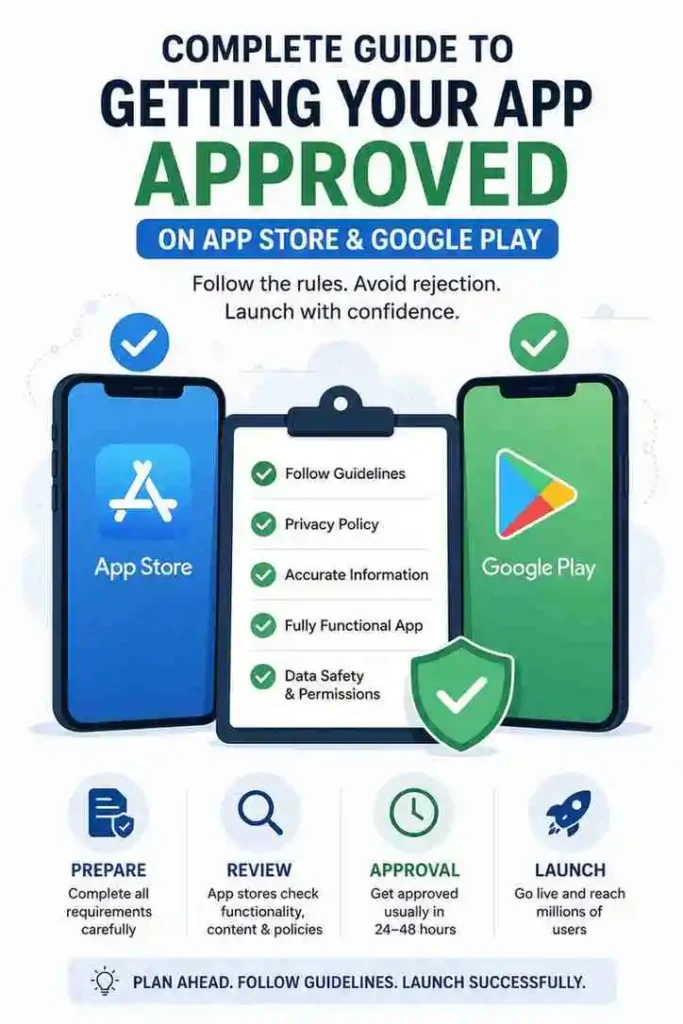
Apple App Store Approval Checklist:
- App metadata (name, subtitle, description, screenshots) matches the real app
- Privacy Policy link added in App Store Connect and inside the app
- App Privacy labels list every data type collected, including by third-party SDKs
- Build is functional no crashes, dead links, or placeholder screens
- Demo account/credentials provided in App Review notes if login is required
- Design follows Apple’s Human Interface Guidelines
- Digital goods sold through Apple’s In-App Purchase system
- Age rating accurately set based on app content
- App isn’t a near-copy of an existing app or template
Google Play Store Approval Checklist:
- Data Safety form completed and consistent with your privacy policy
- Privacy policy hosted on a live, public URL (no PDFs)
- Target API level meets Google’s current minimum (API 35 for 2026 submissions)
- App only requests permissions it genuinely needs
- Content rating questionnaire completed accurately in Play Console
- Developer account identity/business verification completed before submission
- Store listing assets (feature graphic, icon, screenshots) meet size requirements
- Account deletion option available in-app and via the web, if accounts exist
- Age-gating in place for dating, health, or other sensitive categories
Step-by-Step App Submission Process:
Once your app is ready, expect roughly this sequence: set up and verify your developer account (24–48 hours, longer for organizations), prepare your store listing and assets (1–3 days), and complete your privacy and data disclosures (half a day).
From there, Apple usually reviews within 24–48 hours, while Google Play can take anywhere from a few hours to a few days. Once approved, Apple lets you choose manual or automatic release, and Google Play apps typically go live within a few hours of approval. Build in buffer time around holidays or major OS releases, when review queues tend to slow down.
Best Practices Before Submission:
A little discipline before you submit saves you an entire review cycle.
- Test on real devices, not just simulators, across different OS versions.
- Run a full walkthrough of every user flow, including sign-up, payment, and account deletion.
- Have someone outside your team test the app without guidance — if they get stuck, so will a reviewer.
- Double-check that your privacy policy actually reflects every SDK and analytics tool in your app.
- Keep screenshots and preview videos current with the live build, not an early design mockup.
- Fill out review notes generously explain any non-obvious flow, test account, or regional variation.
How to Speed Up App Store Approval:
There’s no way to guarantee same-day approval, but you can meaningfully shorten your timeline.
Submit a genuinely complete build. Half-finished features, “coming soon” screens, and broken navigation are among the top reasons reviewers pause or reject an app.
Provide clear reviewer access. If your app requires login, include working demo credentials and a short note explaining how to reach key features.
Keep your metadata boring and accurate. Reviewers move faster through apps where the description, screenshots, and actual product all agree with each other.
Respond quickly to reviewer messages. Both platforms allow clarification requests during review a same-day reply can save you days of back-and-forth.
Mistakes to Avoid:
- Submitting on a Friday before a long weekend and expecting a fast turnaround.
- Copying UI patterns or names from a well-known competitor app.
- Leaving test or debug menus visible in the production build.
- Under-declaring data collection to make your privacy label look better than it is.
- Ignoring in-app purchase rules and trying to route digital payments outside the platform’s system.
- Treating the first rejection as final without reading the specific guideline cited.
Expert Tips from Appbirds Technologies
After years of shipping apps across both stores, a few patterns show up again and again.
Reviewers reward clarity, not cleverness. A straightforward app description and honest screenshots consistently move through review faster than anything designed to “game” the algorithm.
Treat your Data Safety form and Privacy Policy as living documents. Every time you add a new SDK, analytics tool, or feature, revisit both mismatches between what you declared and what your app actually does are one of the fastest ways to trigger enforcement later, not just at launch.
If you do get rejected, read the specific guideline number Apple or Google cites before you resubmit. Most rejections point to one narrow issue, not a fundamental problem with your app.
Why Choose Appbirds Technologies
Getting an app built is one challenge. Getting it approved, live, and discoverable is another. Appbirds Technologies works with startups and businesses across both stages from Android app development and iOS app development to Flutter and other cross-platform builds, so your app runs smoothly regardless of the technology stack you choose.
Beyond development, the team handles UI/UX design, QA testing, and App Store Optimization (ASO) to make sure your listing is built to convert once it’s live. On the submission side, Appbirds Technologies
also supports app store submission itself, preparing metadata, privacy disclosures, and store assets so your app has the best possible shot at first-pass approval.
Once your app is approved, the work doesn’t stop. Ongoing maintenance, OS compatibility updates, and policy monitoring help keep your app in good standing long after launch day.
If you’re planning a launch and want a team that’s been through this process repeatedly, it’s worth a conversation early before your first submission, not after your first rejection.
Frequently Asked Questions
How long does Google Play review take?
Google Play review can range from a few hours to a few days. New developer accounts, apps requesting sensitive permissions, or apps flagged by automated scanning usually take longer, while updates from established developers with a clean policy history often clear faster.
Can I appeal an app rejection?
Yes. Apple offers an App Review Board appeal process, and you can also request a phone call with a reviewer for clarification. Google Play allows developers to submit a policy appeal through the Play Console. In both cases, address the specific guideline cited rather than resubmitting the same build unchanged.
Do I need a privacy policy to publish an app?
Yes, both Apple and Google require a live, publicly accessible privacy policy link, even for apps that don’t collect user data. The policy must accurately describe your data practices, including anything collected by third-party SDKs or analytics tools inside your app.
What happens if my app gets rejected multiple times?
Repeated rejections, especially for the same unresolved issue, can slow down future reviews and, in serious cases, lead to account-level scrutiny. It’s worth pausing after a second rejection to have someone outside your immediate team review the guideline in question before resubmitting again.
Conclusion
App store approval isn’t a mystery, and it isn’t a matter of luck either. Apple and Google both publish detailed guidelines, and most rejections trace back to a handful of predictable issues inaccurate metadata, incomplete privacy disclosures, or a build that isn’t quite ready for reviewers to test.
Treat your first submission like a dress rehearsal: test everything, double-check your disclosures, and make sure your listing matches your product exactly. Do that, and you’ll spend far less time in review and far more time actually growing your user base.
If you’re preparing for launch and want a team that handles development, testing, and store submission end to end, Contact Us or Explore Our Mobile App Development Services to get started.