Quick Answer:
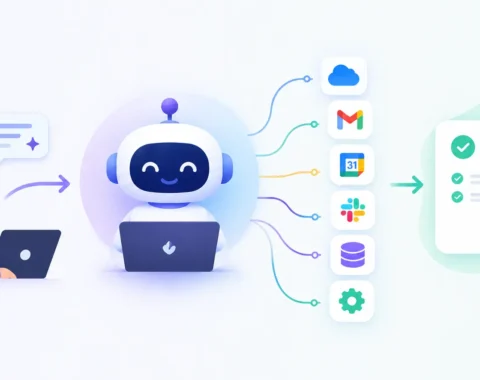
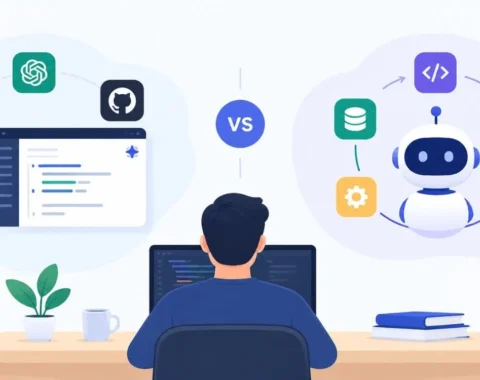
AI Workflow vs AI Agent is a common comparison for businesses exploring AI automation. An AI workflow follows a fixed sequence of steps you design in advance, while an AI agent makes its own decisions about what to do next based on the situation. Workflows are predictable and easy to control, whereas agents are flexible and can handle tasks that don’t follow a predefined script. Most businesses achieve the best results by using both, applying each where it delivers the greatest value.
Introduction
If you’ve spent any time researching AI automation lately, you’ve probably run into two terms that get thrown around like they mean the same thing: AI workflow and AI agent. They don’t.
Confusing these two concepts can lead to costly implementation mistakes. Picking the wrong approach can mean months of development time spent on something that either breaks the moment a customer does something unexpected, or costs far more than it should for a task that never needed that much intelligence in the first place.
This guide breaks down the AI workflow vs AI agent question in plain language, with practical examples, so you can figure out which one (or which combination) actually fits your business.
What Is an AI Workflow?
An AI workflow is a predefined sequence of steps, often using one or more AI models, that runs the same way every time it’s triggered. You design the path. The AI executes tasks inside that path, such as summarizing text or extracting data, but it doesn’t choose the path itself.
Think of it like an assembly line. A new lead comes in, the workflow pulls their email, checks it against your CRM, drafts a welcome message, and assigns a follow-up task to a salesperson. Every step is mapped out. The AI is doing useful work, but it’s working inside guardrails you built.
Workflows are the natural next step up from traditional automation tools like Zapier or Make, except the individual steps can now use AI for things that used to require a human, such as reading an email and deciding what category it belongs to.
What Is an AI Agent?
An AI agent is a system that can plan its own sequence of actions to reach a goal. Instead of following a fixed path, it evaluates the situation, decides what to do next, and can adjust if something unexpected happens, often by using tools, calling APIs, or asking clarifying questions along the way.
Here’s a simple example. You ask an agent to “resolve this customer’s billing complaint.” It might check the customer’s account, look up the transaction, decide whether a refund policy applies, draft a response, and only escalate to a human if it hits something it can’t resolve. Nobody told it the exact order of those steps. It figured that out based on the goal.
This is the part people usually mean when they say “agentic AI.” It’s not about being fancier. It’s about giving the system room to make decisions instead of just execute instructions.
AI Agents vs AI Workflows: A Clear Comparison
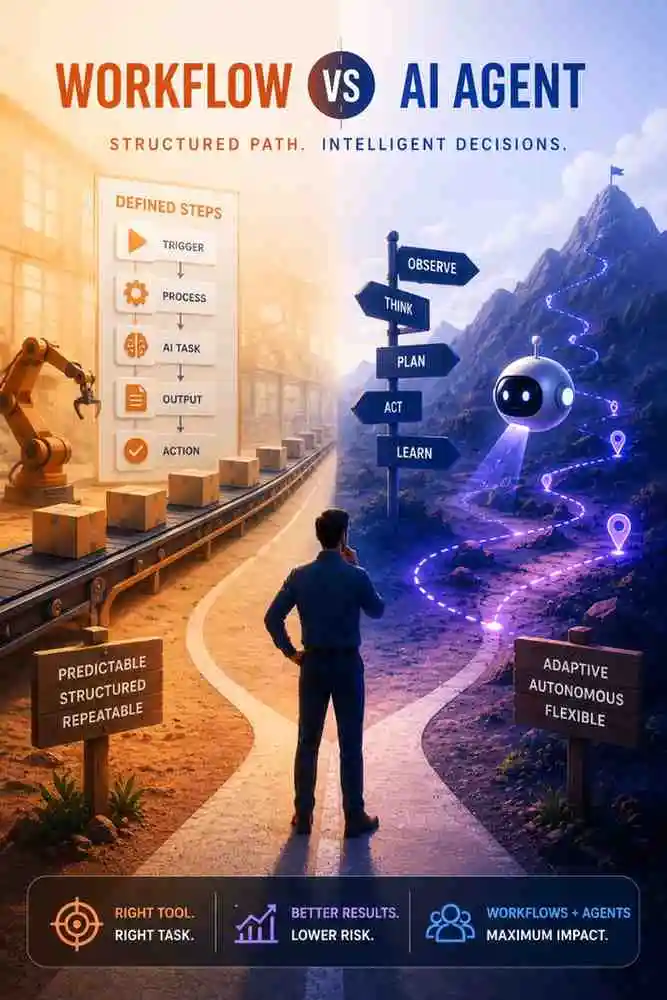
- Workflows follow a fixed path. Agents choose their own path.
- Workflows are predictable and auditable. Agents are flexible but harder to fully predict.
- Workflows are cheaper to build and run. Agents typically cost more in compute and oversight.
- Workflows fail safely (they just stop). Agents can go down unintended paths if not constrained properly.
- Workflows suit repetitive, well-defined tasks. Agents suit tasks with variable inputs and multiple valid outcomes.
AI Workflow vs AI Agent Comparison Table
| Factor | AI Workflow | AI Agent |
| Decision-making | Fixed, human-designed | Dynamic, AI-decided |
| Predictability | High | Moderate to low |
| Setup complexity | Lower | Higher |
| Ongoing cost | Lower, predictable | Higher, variable |
| Best for | Repetitive, rule-based tasks | Open-ended, judgment-based tasks |
| Oversight needed | Light monitoring | Active monitoring, guardrails |
| Failure mode | Stops and flags an error | May take an unintended action |
| Example use | Invoice processing, lead routing | Customer support triage, research tasks |
When to Use an AI Workflow
Choose a workflow when the task is repetitive, the steps rarely change, and you can describe the process in a flowchart without much ambiguity. Good candidates include:
- Data entry and document processing
- Lead scoring and routing
- Scheduled reporting
- Email categorization and tagging
- Simple approval chains
When adopting AI automation for the first time, workflows offer the easiest path to success. They’re easier to test, easier to explain to stakeholders, and easier to fix when something goes wrong.
When to Use an AI Agent
Choose an agent when the task involves judgment calls, varies significantly case to case, or requires pulling information from multiple sources before deciding what to do. Good candidates include:
- Customer support that requires investigation before resolution
- Research and competitive analysis
- Multi-step troubleshooting
- Personalized recommendations that depend on context
- Internal tools where employees ask open-ended questions
Agents make sense once you have a task where writing out every possible branch of a workflow would take longer than just letting the system reason through it.
Can AI Workflows and AI Agents Work Together?
Example:
A customer support system might use:
Workflow
↓
Receive Ticket
↓
Categorize Issue
↓
If simple → Auto Reply
↓
If complex → AI Agent investigates
↓
Human Approval
↓
Customer Response
This is how most companies actually build AI automation today.
This section is missing and would make the article more practical.
Common Mistakes Businesses Make
A few patterns show up again and again when companies get this decision wrong:
- Building an agent for a task that’s actually just a workflow. If the process is the same every time, an agent adds cost and unpredictability with no real benefit.
- Forcing a workflow onto a task that needs judgment. Teams end up with a workflow that has dozens of if-then branches trying to cover every case, and it still breaks on the ones nobody thought of.
- Skipping guardrails on agents. An agent given too much autonomy without checkpoints can take actions that are technically “correct” but not what the business wanted.
- Assuming one has to fully replace the other. In practice, most mature automation setups use workflows for the predictable parts of a process and hand off to an agent only for the part that needs a decision.
Decision Framework
Ask these three questions about the task you want to automate:
- Can I write down every step in advance, in order, and be confident it covers 90%+ of real cases? If yes, lean toward a workflow.
- Does the task require gathering information and then deciding what to do based on what’s found? If yes, lean toward an agent.
- What’s the cost of a mistake? High-stakes, hard-to-reverse actions (like issuing refunds or sending contracts) need tighter guardrails regardless of which approach you use, and often benefit from a human-in-the-loop checkpoint before final execution.
Expert Tips
- Start with a workflow, even if you eventually want an agent. It’s easier to understand your process by automating it step by step than to hand the whole thing to an agent on day one.
- Keep a human checkpoint on any agent action that’s expensive or hard to undo.
- Measure before and after. Track how long a task took manually versus with automation, so you have real numbers instead of guesswork when deciding whether to scale it further.
- Don’t rebuild what’s working. If a workflow is doing its job reliably, resist the urge to turn it into an agent just because agentic AI is the trend of the moment.
At Appbirds Technologies, we often help businesses start with a small, well-scoped workflow before layering in agent capabilities where the process genuinely calls for judgment, rather than defaulting to the most complex option available.
Frequently Asked Questions
Q1: Is an AI agent always better than an AI workflow?
No. Agents are better for tasks that require judgment or vary a lot between cases. For repetitive, well-defined tasks, a workflow is usually cheaper, faster to build, and more predictable, which makes it the better choice.
Q2: Which is cheaper to build and maintain, an AI workflow or an AI agent?
Workflows are generally cheaper to build and run because they follow a fixed path and use predictable amounts of compute. Agents cost more since they often make multiple decisions and tool calls per task, and need ongoing monitoring.
Q3: How do I know if my business needs an AI agent instead of simple automation?
If your process regularly hits exceptions that don’t fit a flowchart, or requires someone to gather information from multiple places before deciding what to do, that’s a signal an agent may fit better than a fixed workflow.
Q4: What’s a simple example of the difference between an AI workflow and an AI agent?
A workflow might auto-categorize incoming support emails and route them to the right team. An agent might read the same email, investigate the customer’s account and order history, and attempt to resolve the issue directly before ever involving a human.
Conclusion
The AI workflow vs AI agent decision isn’t about picking the more advanced-sounding option. The key is choosing the right tool for the job. Workflows give you predictability and control for repetitive processes. Agents give you flexibility for tasks that need judgment. Most businesses that get real value from AI automation end up using both, applied deliberately rather than by default.
Before you build anything, map out the actual process you’re trying to automate, run it through the three questions in the decision framework above, and let that answer guide whether you start with a workflow, an agent, or a combination of the two.
Not sure whether your process needs a workflow, an agent, or both? Book a free consultation with the experts at Appbirds Technologies to map out the right AI approach for your operations.